
Every Device
Glucogaze · Glucose, at a glimpse
One account, one live reading, every screen you own. Link FreeStyle Libre, Nightscout or Dexcom once, then see it on the GeekMagic SmallTV Ultra on your desk, in the web app on your laptop and on your phone — with more screens in the pipeline.
GeekMagic SmallTV Ultra
The GeekMagic SmallTV Ultra is a Wi‑Fi desk clock with a 240×240 colour screen, sold for under £10. With the free Glucogaze firmware it becomes a continuous glucose monitor display: your live blood glucose reading from FreeStyle Libre, Nightscout or Dexcom, the trend arrow and the reading’s age, always on at your desk or bedside, with no phone to unlock. You buy the screen; the Glucogaze software is free.
- 240 × 240 colour screen
- Wi‑Fi built in
- USB‑C powered
- Under £10
- Four faces
- Night mode
- Scan to pair
- Updates over the air
Four faces, one tap to swap
Pick one from the web app and the screen repaints in seconds.
From box to desk in three steps
Buy the screen
A GeekMagic SmallTV Ultra from AliExpress — under £10.
Flash it once
Put the Glucogaze firmware on it with our guide. After that it updates itself.
Scan to pair
The screen shows a QR code. Scan it, pick whose readings it shows, done.
The web app and your phone
The same live reading, the chart and your history, wherever you are. The SmallTV is for the desk; these two go with you — and the web app is where you pair screens, pick faces and give family access.
Web app
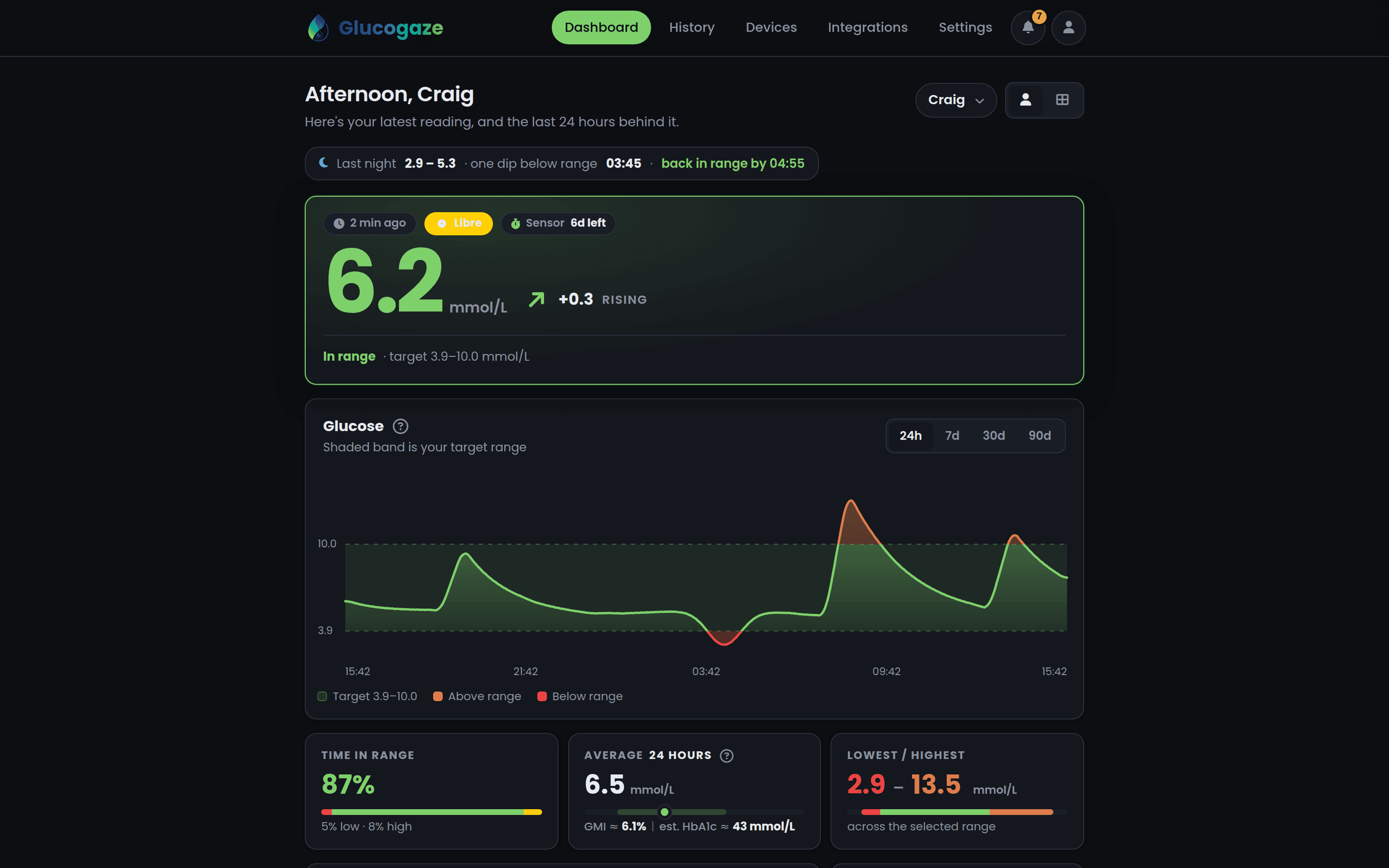
Reading, trend, the 24-hour chart, time in range and your whole history, on any browser. It is also where you pair screens, pick faces, set your targets and give family access.
Mobile
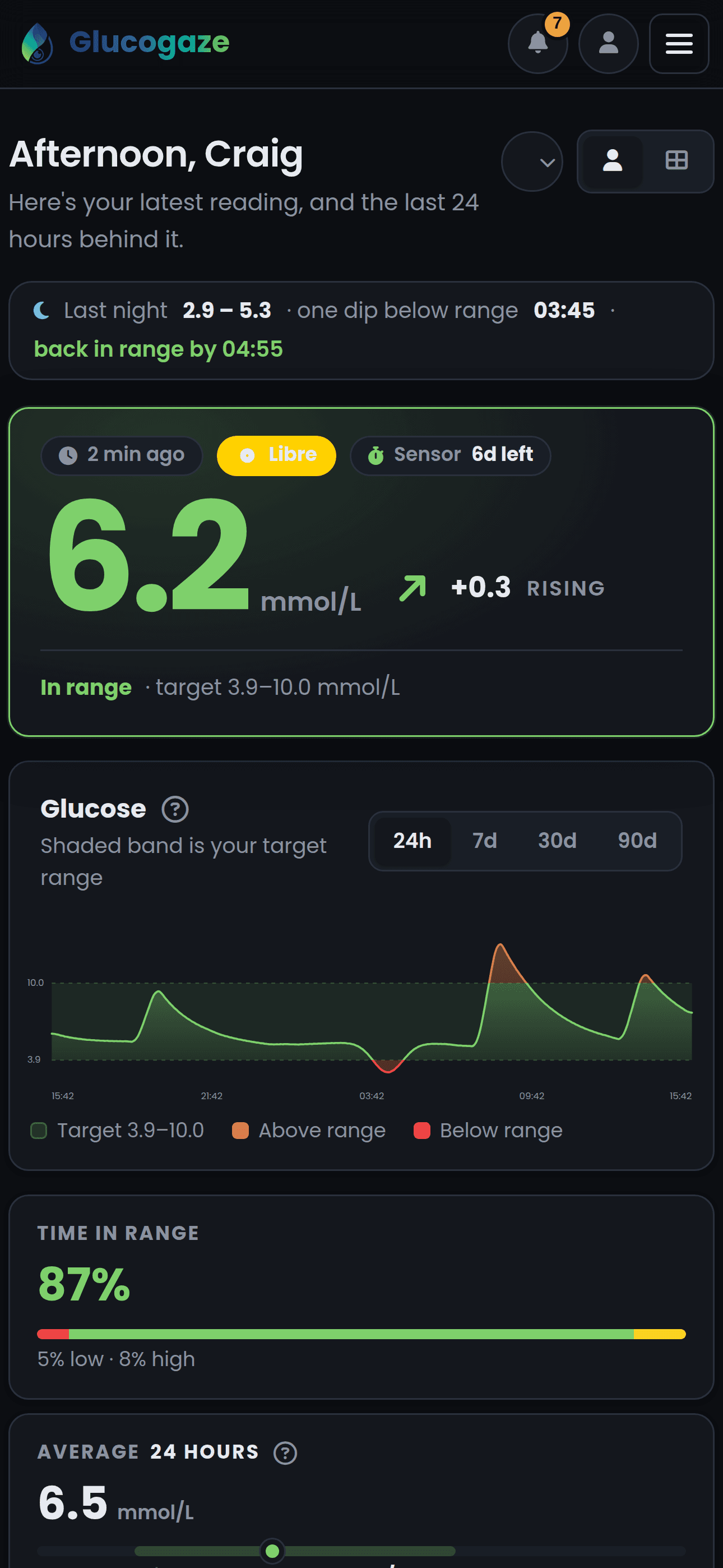
The dashboard is built for a phone first. Add it to your home screen and it is an app.